















In today’s eCommerce world, trust is essential. Shoppers are discerning and skeptical. They want proof before they decide to purchase. As developers and web professionals, we build the platforms where these transactions happen. Our job is to build experiences that create confidence. What is the most powerful tool for building confidence? Social proof. But just having reviews is not enough. You have to showcase them. That is where the reviews carousel widget comes in. It is a dynamic, powerful tool for transforming shopper skepticism into shopper confidence, and ultimately, into sales.
This widget is far more than a simple slider. It is a strategic asset. When implemented correctly, it places your best social proof in front of shoppers at the exact moment they need reassurance. It acts as a silent salesperson, working continuously to validate your products and your brand.
Key Takeaways
- A Core Conversion Tool: A reviews carousel is not just for decoration. It is a key part of your conversion rate optimization (CRO) strategy. It builds trust, answers questions, and reduces purchase anxiety.
- Strategic Placement is Key: Where you place your carousel matters. Homepage carousels build brand trust, while product page carousels drive the final conversion.
- Content Quality is Crucial: A carousel is only as good as the reviews it contains. You need a solution that helps you collect high-quality, detailed reviews, especially visual ones.
- Curation is Critical: Do not just show random reviews. The best solutions use AI to strategically display the most relevant and high-impact reviews for each shopper.
- Your Platform Choice Matters: As a developer, the reviews platform you choose (like Yotpo Reviews) determines your carousel’s capabilities, from AI-powered sorting and performance to deep customization and analytics.
What Exactly is a Reviews Carousel Widget?
To begin, let’s establish a clear definition. A reviews carousel widget is an on-site, interactive web element. It displays a rotating selection of customer reviews in a compact, space-saving format.
Think of it as a “greatest hits” reel for your customer feedback.
Instead of forcing a shopper to scroll down a full page of reviews (which they might never do), the carousel actively presents your best, most convincing feedback. It slides or fades from one review to the next, either automatically or with manual navigation arrows.
Core Components of a Modern Carousel
A truly effective reviews carousel includes several key pieces of information at a glance. Each “slide” of the carousel typically features:
- Star Rating: The most immediate visual cue of quality.
- Review Snippet: A short, compelling quote from the full review. This is the “hook.”
- Customer Name: Provides authenticity. “John K.” feels more real than “Anonymous.”
- Date of Review: Shows that the feedback is recent and relevant.
- “Verified Purchase” Badge: This is non-negotiable. It proves the reviewer is a real customer, which is the foundation of trust.
- Customer-Submitted Photos or Videos (UGC): This is a highly effective component. Seeing a real person using and loving your product is often the final push a shopper needs.
This single widget bundles all that social proof into a clean, engaging package. It is one of the most efficient ways to build trust on your site.
More Than a Slider
Therefore, it is important not to dismiss this as just another “slider.” A modern reviews carousel is a sophisticated marketing tool. It is designed to interrupt a shopper’s scrolling, engage them with authentic feedback, and guide them toward a confident purchase.
The “Why”: Business Impact of a Reviews Carousel
We understand what it is. Now let’s discuss why it is important. As a developer, your work directly impacts the business’s bottom line. Implementing a reviews carousel is one of the most direct ways to move the needle on key metrics.
Building Instant Trust (Social Proof)
This is a primary benefit. The internet is full of noise. Shoppers are naturally wary. Why should they trust your product descriptions?
They do not. But they do trust other shoppers.
This psychological principle is called social proof. When we see that other people (like us) have bought and liked a product, we feel safer doing the same. A reviews carousel is a social proof machine. It places this proof front and center, building credibility from the first second a user lands on your homepage.
Increasing Conversion Rates
Trust is the currency of eCommerce. And trust leads directly to conversions.
Think about the customer’s journey. They are on a product page. They are interested, but hesitant. They are asking questions:
- “Does this actually work?”
- “Will it look cheap?”
- “Is this brand legitimate?”
A well-placed carousel showing 4- and 5-star reviews, especially with photos, answers those questions immediately. It alleviates their concerns and reduces purchase anxiety. Data from Yotpo shows that shoppers who interact with reviews and other user-generated content (UGC) convert at a rate 161% higher than those who do not. Your carousel is the gateway to that interaction.
Enhancing On-Site Engagement
A static page is a boring page. A reviews carousel adds interactivity. It invites the user to click, to pause, to read. This simple engagement does two important things:
- It keeps them on the page longer. This reduces your bounce rate, which is a positive signal to search engines.
- It draws them deeper into your product story. They are not just reading your marketing copy. They are connecting with the stories of real customers.
Answering Key Questions, Fast
Shoppers are impatient. They will not read your entire product description. They often scan for key information. Your reviews carousel can surface the answers they are looking for.
A review that says, “I was worried this would be too small, but it fits true-to-size!” is more powerful than any sizing chart. A good reviews platform will even let you highlight reviews that mention specific, high-intent topics.
A Direct Line to Revenue
A reviews carousel is not a “nice to have.” It is a core part of your conversion funnel. It builds trust, boosts engagement, and gives shoppers the confidence they need to click “Add to Cart.” Your work in implementing this one widget can have a measurable, positive impact on revenue.
Strategic Placement: Where to Use Your Reviews Carousel
You understand the benefits. You need a reviews carousel. The next logical question is: where should you place it?
The answer is: it depends on your goal. The right placement turns a good widget into a great one. Let’s break down the primary locations and the strategy for each.
1. The Homepage
This is your digital front door. Many visitors here are new to your brand. Your primary goal is not to sell a specific product; it is to sell your brand.
- What to Show: A carousel of your best site reviews or your highest-rated product reviews from across your entire catalog.
- The Goal: To establish brand-level trust and credibility instantly. You are telling the user, “You are in safe hands. We are a legitimate business, and people love us.”
- Placement Tip: Place it “above the fold” if you can, or just below your main hero image. Make it one of the first things a new visitor sees.
2. Collection (Category) Pages
A shopper on a collection page is in “discovery” mode. They are browsing. They are comparing. They have not landed on a single product yet.
- What to Show: This is tricky. A generic carousel of site reviews is okay. But a great carousel would show the highest-rated products within that collection.
- The Goal: To help shoppers discover popular items and build confidence in the category as a whole. A high-performing carousel here can guide a user’s click from the collection page to a product page.
- Placement Tip: Often placed near the top, just below the category title and filters.
3. Product Pages (PDP)
This is the most important placement for one simple reason: this is where the conversion happens.
- What to Show: This is critical. The carousel must show reviews only for that specific product. Showing irrelevant reviews here will destroy trust and confuse the shopper.
- The Goal: To overcome final objections and push the “Add to Cart” click. The shopper is interested. The carousel’s job is to provide the final piece of reassurance.
- Placement Tip: You have two main options:
- Above the Fold: Place a “mini-carousel” or star rating right under the product title. This gives an instant signal of quality.
- Below the Description: A more robust carousel with photos and text snippets can live just above the main, in-depth reviews widget. It acts as a powerful summary.
4. Cart and Checkout Pages
Do not stop building trust at the product page. Cart abandonment is a huge problem for every eCommerce store. Why? Last-minute doubts.
- What to Show: A simple, clean carousel of site reviews or brand testimonials. Focus on non-product-specific praise, like “Fast shipping!” or “Amazing customer service.”
- The Goal: To reduce cart abandonment. You are reassuring the shopper that the entire experience of buying from you will be a good one.
- Placement Tip: On the cart page or in the checkout sidebar. Keep it simple and text-based to avoid distracting from the checkout flow.
Use the Right Tool for the Job
There is no single “best” place. A smart developer uses the reviews carousel in multiple locations, each one tailored to a specific goal. Your homepage builds brand trust. Your product page carousel secures the sale.
A Developer’s Deep Dive: The Yotpo Reviews Carousel
So, we know what reviews carousels are, why they matter, and where they go. Now, let’s examine the engine. As a developer, the tool you choose to implement changes everything. A basic carousel is often just a simple script. A best-in-class solution, like the one from Yotpo Reviews, is a data-driven conversion tool.
When you implement Yotpo, you are not just adding a widget. You are plugging into a powerful platform built on over 13 years of eCommerce data. Yotpo’s entire philosophy is different. It is not just about collecting reviews; it is about using them to drive sales.
Why the Yotpo Reviews Carousel is Different
For a developer, the “why” comes down to capabilities. A generic widget shows 10 random 5-star reviews. The Yotpo widget is more advanced.
- Focus on Conversion: Yotpo’s widgets are designed and A/B tested to do one thing: convert. They are built on insights from over 300 million reviews.
- AI-Powered Curation: This is the most significant technical advantage. Yotpo’s carousel is not just “show 10 random reviews.” It uses AI to power features like Smart Sorting.
- Headless & API-First: For modern tech stacks, this is crucial. While Yotpo offers simple copy-paste snippets for Shopify or BigCommerce, it also has a robust API. This means you can build a fully custom carousel in your React or Vue app, pulling review data directly. You get total design control.
Key Features of the Yotpo Carousel (The Dev Perspective)
Let’s get into the features you will actually work with.
1. AI-Powered Smart Sorting
This is a key differentiator. Instead of you manually picking reviews or just sorting by “most recent,” Yotpo’s Smart Sorting does the work. It analyzes all the reviews for a product and automatically surfaces the ones that are most impactful. It prioritizes reviews that are:
- Detailed and high-quality.
- Recent.
- Mentioning key topics (like “fit,” “quality,” “shipping”).
- High-converting (Yotpo tracks which reviews lead to sales).
This means the carousel is always working to show the best review, not just a review. You get all the credit for a high-performing widget, and the AI does the heavy lifting.
2. Deep Customization and Branding
A widget should never look like a widget. It should look like a native part of your site. Yotpo gives you full control.
- Visual Editor: For quick changes, the on-site widget editor lets you adjust colors, fonts, and layouts without code.
- CSS Editor: For more granular control, you can apply your own custom CSS directly in the Yotpo admin. This lets you match every pixel to your brand’s style guide.
- Layout Options: Choose from different carousel styles. Do you want a clean, minimalist look? Or a rich, visual-first layout? You can pick the one that best fits your page.
3. Performance and Page Speed
You and I both know that widgets can often negatively impact a fast-loading site. A slow, heavy reviews widget can kill your Core Web Vitals score.
Yotpo is built for eCommerce, so they understand this. Their widgets are optimized to be:
- Lightweight: The code is clean and minimized.
- Asynchronous: The widget script loads asynchronously. This means it does not block the rendering of your main page content. Your page will load, and then the carousel will populate. This is critical for perceived performance and a good user experience.
The guideline file mentions a Yotpo customer, Slumber Cloud, seeing zero impact on their Google Lighthouse Score. That is the goal. A widget that adds value without adding weight.
4. Rich Content Display (Visual UGC)
A text review is good. A review with a customer-submitted photo or video is 10x better. Yotpo’s carousel is built to showcase this visual UGC.
This is a huge technical and strategic advantage. Yotpo’s collection tools are designed to get you more photo and video reviews. Their display tools, like the carousel, are built to feature them. This creates a powerful feedback loop:
- A shopper sees a real customer photo in your carousel.
- This builds massive trust.
- They buy the product.
- Yotpo asks them for a review and encourages them to add a photo.
- Their photo now appears in the carousel for the next shopper.
5. Mobile-First Responsive Design
This is a fundamental requirement, but it is done right. You do not need to write custom media queries for your reviews carousel. Yotpo’s widgets are fully responsive out of the box. They will reflow, resize, and adapt to any screen size, from a tiny mobile phone to a huge desktop monitor. This “out-of-the-box” functionality saves you development time.
Tutorial: How to Implement the Yotpo Reviews Carousel
Let’s walk through the process to show the practical side.
Step 1: Get Your Yotpo Reviews Account
This is the obvious first step. You need a Yotpo Reviews account to access the platform.
Step 2: Access the On-Site Widgets Editor
Inside your Yotpo admin, you will navigate to “On-Site Widgets.” This is your command center. Here, you will find the “Reviews Carousel.”
Step 3: Customize Your Carousel in the Editor
This is the “no-code” portion of the setup. You will use the visual editor to:
- Choose a Layout: Select the visual style you prefer.
- Select Review Type: Do you want this carousel to show Product Reviews or Site Reviews? This is the most important setting.
- Customize Look & Feel: Set your brand colors, choose fonts, and decide on the carousel’s behavior (like autoplay speed).
- Filter Reviews: You can set rules, like “Only show 4- and 5-star reviews” or “Hide reviews that mention ‘X’.” (Though, as we will discuss, showing all reviews is often better).
Step 4: Get Your Code Snippet
Once you are happy, you will click “Get Code.” Yotpo will provide you with two things:
- A main script: This is the core Yotpo JavaScript file. You will place this in your theme’s <head> or main layout file. You only need to do this once.
- A widget div: This is the simple HTML snippet you will place exactly where you want the carousel to appear.
A typical widget snippet will look something like this:
<div class=”yotpo-widget-instance” data-yotpo-widget-id=”[YOUR_WIDGET_ID]”></div>
Step 5: Place the Snippet in Your Theme Files
This is where your developer skills are applied.
- For a Homepage Carousel (Site Reviews): You would open your theme’s index.liquid (for Shopify), index.html, or your homepage component file. You would paste that div snippet in the section where you want it to appear.
- For a Product Page Carousel (Product Reviews): This is the magic part. You will open your product.liquid or product-template.js file. You will paste the snippet, but you will add a crucial data attribute to it:
<div class=”yotpo-widget-instance” data-yotpo-widget-id=”[YOUR_WIDGET_ID]” data-yotpo-product-id=”{{ product.id }}”></div>
That data-yotpo-product-id attribute is the key. It tells the Yotpo script, “Hey, for this spot on the page, go fetch the reviews that match this product’s ID.” This is how the same line of code dynamically displays the correct reviews for every single product in your catalog.
Step 6: For the Headless Pros
What if you are not using a standard theme? What if you are on a custom React, Vue, or Svelte stack?
This is where Yotpo’s API-first approach excels. You do not have to use their widget snippet. You can make a direct API call from your backend or client-side code.
- On your product page component, you would fetch from Yotpo’s API endpoint, passing the product ID.
- Yotpo’s API returns a clean JSON object with all the review data: star ratings, review text, author, photos, videos, etc.
- Now, that data is yours. You can loop over it in your React component and build a 100% custom, pixel-perfect carousel using your own CSS, or a library like Swiper.js.
This headless approach gives you total creative freedom while still leveraging the power of Yotpo’s collection and AI-curation engine on the backend.
A Tool for Pros
Choosing Yotpo Reviews means you are choosing a professional-grade tool. It offers simple implementation for standard setups. But it also provides the deep, API-level access that serious developers need for custom, high-performance builds.
Best Practices for a High-Converting Carousel
You have your Yotpo carousel. You have implemented it on the page. Is your work finished?
Not quite. How you configure your carousel is just as important as where you put it. Here are some best practices from the pros.
Do Not Just Show 5-Star Reviews
This is the most common mistake. It is tempting to filter your carousel to only show perfect 5-star reviews. Avoid this.
Why? It damages authenticity.
Shoppers today are too smart for that. If they see a wall of nothing but glowing, perfect praise, they assume you are faking it. A study by the Spiegel Research Center found that purchase likelihood peaks for products with an average rating between 4.0 and 4.7 stars. It decreases as the rating approaches a perfect 5.0.
A 4-star review that says, “I love this, but I wish it came in blue,” is more believable and more helpful than a 5-star review that just says, “Great!”
Yotpo’s AI-powered sorting is great at this. It understands that a detailed, helpful 4-star review is often more valuable than a lazy 5-star one. Trust the AI.
Prioritize Visuals (UGC)
You must prioritize photo and video reviews. A carousel of text is good. A carousel of real customers using your product is game-changing.
- Incentivize Visuals: This is where you can use a relevant synergy with Yotpo Loyalty. Set up a rule in your loyalty program: “Earn 100 points for a review. Earn 500 points for a review with a photo.” This small incentive provides a huge return.
- Configure Your Carousel: Set your Yotpo carousel to prioritize reviews that contain media. This ensures your most powerful, eye-catching social proof gets seen first.
Keep the Design Clean and On-Brand
Your carousel should blend in. It should look like a natural, native part of your website, not a clunky, third-party add-on.
- Use your brand’s fonts.
- Use your brand’s primary and secondary colors.
- Do not clutter it with “trust badges” or flashy animations.
- Let the customer’s content (their words, their photos) be the hero. A clean, simple design implies confidence.
Optimize Autoplay and Navigation
Autoplay is a double-edged sword. On one hand, it ensures shoppers see multiple reviews. On the other, it can be annoying and move too fast to read.
- Best Practice: If you use autoplay, keep it slow. 5-7 seconds per slide is a good starting point.
- Must-Have Feature: Ensure your carousel pauses on mouse hover. This is critical. It gives the user control, allowing them to stop and read a review that catches their eye.
- Clear Navigation: Always include clear “previous” and “next” arrows. Do not force users to wait for the autoplay.
A/B Test Your Placement
As a data-driven developer, you should never guess. Test.
Your reviews platform is a goldmine of data. Use it.
- Run an A/B test.
- Version A: Product page with the carousel below the “Add to Cart” button.
- Version B: Product page with the carousel above the “Add to Cart” button.
- Run the test for two weeks. See which version has a higher conversion rate. The data will give you the answer.
A Note on Authenticity
As my colleague and eCommerce expert, Ben Salomon, often says, “Authenticity isn’t just a buzzword; it’s your single greatest asset. A shopper can spot a fake a mile away. The best review strategy is just to be honest. Show the real reviews, engage with the bad ones, and let your customers tell your story for you.”
Your carousel is the primary vehicle for that authentic story. Do not try to over-produce it. Let the real, honest feedback shine.
Small Tweaks, Big Impact
These best practices are small, tactical adjustments. But they add up. An authentic, visual, well-designed, and user-controlled carousel will outperform a generic, 5-star-only carousel every single time.
Analyzing Your Carousel’s Performance
Your work is not done when the widget is live. The best professionals track performance to prove their work has value. A “set it and forget it” approach is a missed opportunity.
You need to know: Is the carousel working?
Use Your Yotpo Analytics Dashboard
This is another reason you choose a best-in-class platform. Yotpo Reviews does not just display reviews; it analyzes them. The analytics dashboard is your report card.
Inside, you can track metrics tied specifically to your on-site widgets.
Key Metrics to Track
- Widget Interaction Rate: What percentage of shoppers who see the carousel actually click on it (e.g., use the arrows, pause it, or click a review)? This tells you if the design is engaging.
- Conversion Rate from Interaction: This is the critical metric. Yotpo can show you: “Shoppers who interacted with the carousel had a conversion rate of 8.5%, while shoppers who did not had a conversion rate of 3.2%.” This is the data you take to your boss to prove the value of your work.
- Influence on Average Order Value (AOV): Do shoppers who read reviews buy more? The carousel might give them the confidence to add that extra accessory to their cart. Yotpo’s dashboard can help you find this data.
Using Insights to Improve (The Feedback Loop)
Your carousel is also a powerful data-gathering tool. Yotpo’s dashboard has features like Insights (part of the Reviews Atlas) that use AI to read all your reviews and tell you what customers are talking about.
You might see that in your “T-Shirts” category, the top-mentioned topic is “shrinkage.” This is valuable feedback.
You can then:
- Adjust Your Carousel: Set your carousel to feature a review that says, “I was worried it would shrink, but I followed the wash instructions and it’s perfect!” This proactively answers a customer objection.
- Inform Your Team: You give that “shrinkage” data to your product and marketing teams. Maybe they need to change the material or add a “pre-shrunk” callout to the product description.
This is an expert-level strategy. You are not just a developer implementing a widget. You are a strategic partner, using the tool you built to find business-critical insights.
Track, Analyze, Iterate
Treat your reviews carousel as a living part of your site. Use the data from your Yotpo dashboard to measure its impact. Use the insights from the reviews themselves to make it (and your products) even better.
The Broader Reviews Ecosystem
A carousel is a powerful widget. But it is just one part of a complete reviews strategy. As a developer, you are implementing an ecosystem. Let’s see how the carousel fits in.
From Collection to Display
Your carousel needs content. That content comes from your collection strategy. You need a platform that is excellent at getting high-quality reviews.
Yotpo Reviews excels at this. It uses optimized, automated post-purchase requests. It makes it easy for a customer to leave a review. And it is smart enough to ask for what you need. For example, it can ask for a photo for a fashion item, or ask about “battery life” for an electronics item.
The quality of your collected reviews directly impacts the carousel’s effectiveness. High-quality input leads to high-impact conversions.
Beyond the Carousel: The Full Reviews Widget
The carousel acts as a “teaser.” It is a summary. Its goal is to hook the shopper.
But some shoppers want more. They want to dig in. They want to filter all 200 reviews for a product. They want to search for reviews that mention “runs small.” They want to read the Q&A.
This is the job of your main Reviews Widget, which you will place further down the product page. The carousel and the main widget work as a team:
- The Carousel: Sits high on the page. It summarizes. It builds instant trust.
- The Main Widget: Sits below the description. It provides depth. It is for the high-intent, high-consideration shopper who needs all the details.
Your Yotpo implementation includes both of these, and they work together seamlessly.
Syndication: Your Reviews, Everywhere
This is a massive, often-overlooked advantage of a platform like Yotpo. The reviews you collect do not just live on your site.
Yotpo has strategic partnerships with the biggest names in search and commerce, including Google, Target, and TikTok.
What does this mean for you?
It means the same reviews that appear in your on-site carousel can be syndicated (pushed) to other channels.
- Google Shopping: Your product’s star rating appears right in the Google search results (as Rich Snippets) and on your Shopping ads.
- Retail Partners: If you sell your products through Target, Yotpo can push your reviews from your site to your Target.com product page.
This makes your developer work 10x more valuable. You are not just adding a widget to your site. You are implementing a system that powers your brand’s reputation across the entire internet.
The Loyalty Connection: A Virtuous Cycle
I have mentioned it once, but it is the most important, relevant synergy. Your carousel needs amazing reviews. What is the best way to get them?
Yotpo Loyalty
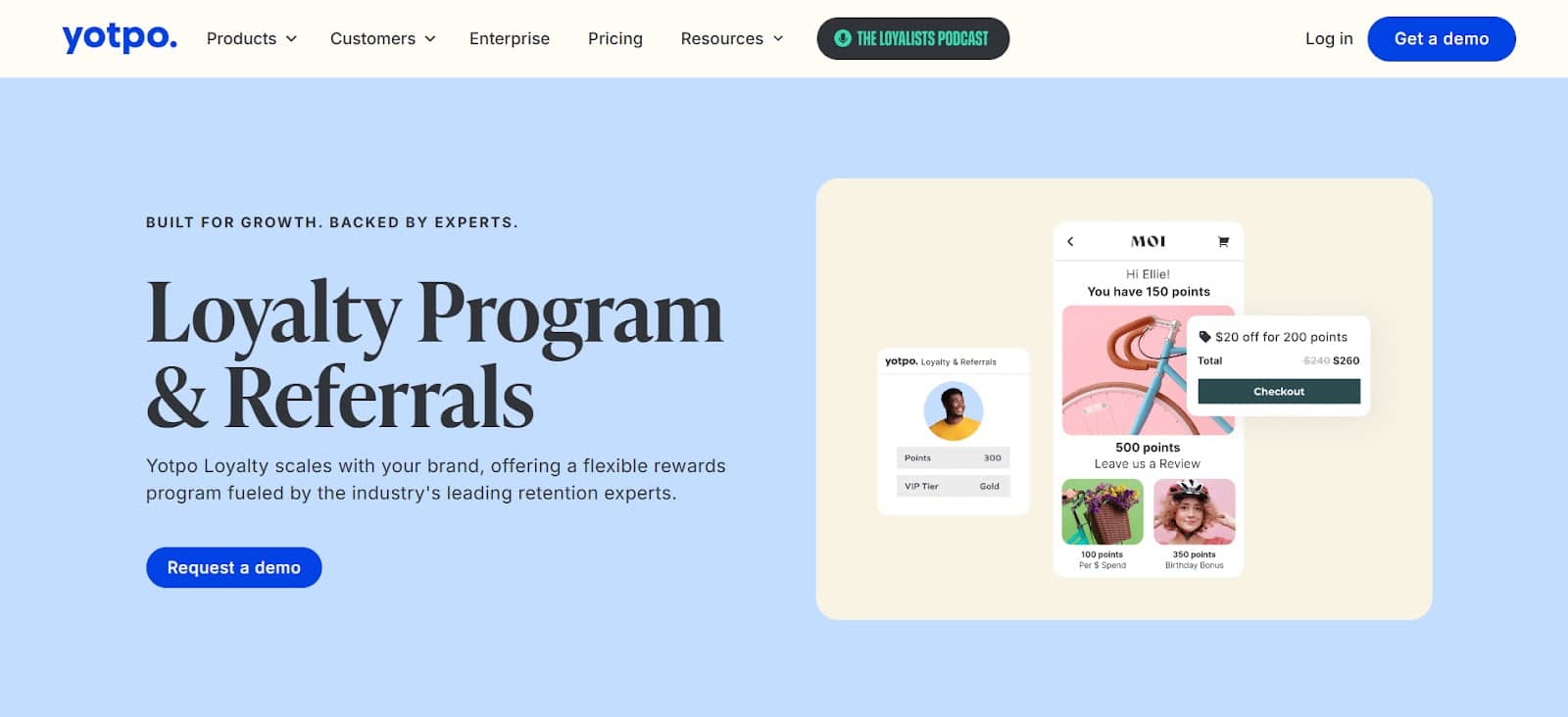
By using Yotpo’s two best-in-class products, Reviews and Loyalty, you can create a powerful, virtuous cycle:
- A customer buys a product.
- Yotpo Loyalty gives them points for that purchase.
- Yotpo Reviews sends them a review request.
- You use Yotpo Loyalty to offer them bonus points for leaving a review, and even more bonus points for adding a photo.
- This gets you a high-quality, visual review.
- The Yotpo Reviews Carousel (powered by AI Smart Sorting) features this new, amazing review.
- A new shopper sees this review in the carousel, builds trust, and…
- …Buys the product.
The cycle then repeats. This is how you use two standalone, best-in-class products to build a powerful growth engine.
The Carousel is a “Hub”
Your reviews carousel is not an isolated island. It is the “hub” where all the best parts of your review strategy come together: powerful collection, AI-curation, visual UGC, and even loyalty incentives.
Choosing the Right Platform
As you can see, the market has many functional options. Your choice as a developer or a brand depends on your core needs.
Are you looking for a feature that is part of a broader marketing suite? Or are you looking for a best-in-class, standalone Reviews product that is singularly focused on conversion?
This is the key question. Platforms like Yotpo Reviews build their entire reputation on being the most powerful, data-driven, and conversion-focused reviews solution on the market. The specialization in reviews means deeper analytics (like Reviews Atlas), more advanced AI (like Smart Sorting), and more strategic partnerships (like the Google, Target, and TikTok syndication) that are all dedicated to making your reviews more valuable.
Potential Challenges and Limitations
No tool is a complete solution on its own. As a developer, it is our job to be realists. Here are some challenges you might face when implementing a reviews carousel.
1. The “Cold Start” Problem
You cannot have a reviews carousel if you do not have reviews. For a new store or a new product, that carousel div will be empty. This is a common challenge.
This is why your collection strategy is more important than your display strategy. A platform like Yotpo Reviews, which is hyper-effective at collecting those first crucial reviews, is the solution to this problem. You need to get to 10 reviews as fast as possible.
2. Over-reliance on the Carousel
A carousel is a powerful tool. But it cannot save a bad product or a terrible product page. Do not expect the carousel to do all the work. It is a trust-builder, but your product photos, description, and price still need to be compelling.
3. “Review Fatigue” or Distraction
A poorly implemented carousel can be annoying. If it:
- Autoplays too fast.
- Is flashy and animated.
- Covers up other important content.
…it will hurt, not help. This is a design and implementation challenge. Your job as the developer is to integrate it seamlessly, not just add it to the page without consideration. Make it a calm, helpful, and user-controlled element.
4. Not Engaging with Feedback
The carousel shows your best reviews. But your customers (and potential customers) can see all of them. If your brand is not responding to negative reviews, your credibility plummets. A carousel of 5-star reviews looks fake if your main reviews widget is full of 1-star reviews that the brand has ignored.
A review strategy is a complete loop. Use the carousel, but also make sure your team is using the Yotpo dashboard to thank positive reviewers and publicly solve problems for negative reviewers.
Conclusion: Your Role as a Conversion-Driver
The reviews carousel widget is a perfect example of where development, design, and marketing meet.
It is far more than a simple JavaScript slider. It is a window into the authentic voice of your customers. It is a 24/7 social proof machine. And when built on a powerful, best-in-class platform like Yotpo Reviews, it becomes an AI-powered, data-driven tool that directly impacts conversion rates.
As a developer, your choice of tools matters. By implementing a professional solution, you are not just adding a “feature.” You are building a core part of your company’s growth engine. You are giving your brand the power to build trust instantly, answer questions proactively, and give shoppers the confidence they need to become customers.
A reviews carousel is not just code. It is a tool for building confidence. And your job is to implement it effectively.
Frequently Asked Questions
1. Can a reviews carousel hurt my page speed or SEO?
It can if it is poorly built. A good platform like Yotpo Reviews solves this by loading its scripts asynchronously. This means it does not block your page’s main content from loading, so it has a minimal impact on your Core Web Vitals and user experience. For SEO, Yotpo’s main reviews widget (not the carousel) is built with Rich Snippets in mind, which helps your SEO by getting star ratings to appear in Google.
2. How many reviews should I show in a single carousel?
There is no magic number, but a good range is 5-10. You want enough to show variety, but not so many that the user gets overwhelmed. The goal is to show your best 5-10 reviews, not all 500. Use AI-powered sorting to pick these for you.
3. Product reviews vs. Site reviews: what’s better for a homepage carousel?
For your homepage, site reviews are often better. Your goal on the homepage is to build brand trust. Shoppers want to know about your “fast shipping” or “great customer service.” On a product page, you must only show product reviews for that specific item.
4. Should I use autoplay on my carousel?
You can, but be careful. If you use autoplay, set it to a slow speed (5-7 seconds) and always make sure it pauses when a user hovers their mouse over it. Also include clear navigation arrows so the user is in control.
5. What is the best way to get photo and video reviews for my carousel?
Incentivize them. This is the most effective way. Use a tool like Yotpo Loyalty to offer 3x the points for a review with a photo versus a text-only review. This small investment gives you your most valuable marketing assets.
6. What do I do if I do not have enough reviews for a carousel?
This is the “cold start” problem. The solution is to focus all your effort on collection. Use a platform like Yotpo Reviews that has high-converting, automated review requests. Send requests for past purchases. Once you have 3-5 good reviews, you can turn on the carousel.
7. Should I hide my 1-star or 2-star reviews from the carousel?
It is tempting, but it can hurt authenticity. While your carousel should prioritize your best reviews (4 and 5 stars), a platform’s AI sorting is smart. It knows that a 4.5-star average is more believable than a 5.0. It is better to show a mix of 4- and 5-star reviews than to create a fake-looking “perfect” 5.0 carousel.
8. How do I make the carousel match my brand’s design?
A professional platform like Yotpo Reviews will have a built-in CSS editor. While you can use the visual “no-code” editor for basic color and font changes, the CSS editor gives you or your developer pixel-perfect control to match your site’s exact style guide.
9. Can I use a reviews carousel on a headless website?
Yes, if you choose the right platform. A solution like Yotpo Reviews is API-first. This means you can call their API, get a clean JSON response with all the review data (text, stars, photos, etc.), and then use that data to build a completely custom carousel in your React, Vue, or Svelte component.
10. What is the single most important component of a reviews carousel?
The “Verified Purchase” badge. Without it, none of the other information matters. That badge is the entire foundation of trust. It proves the review is from a real person who spent real money, and that is the only thing a skeptical shopper truly cares about.



 Join a free demo, personalized to fit your needs