















You can have the sharpest product descriptions and the most stunning photography in your niche, but if search engines can’t find your pages, none of it matters. Your XML sitemap is the difference between letting a crawler guess your site structure and handing them a detailed blueprint.
With AI engines and Large Language Models (LLMs) now relying on structured data to verify facts, this file has evolved from a technical checkbox into a critical asset for Generative Engine Optimization (GEO). This guide covers the 9 best tools to automate and audit your architecture, ensuring your catalog is fully discovered by the bots that drive traffic.
Key Takeaways: 9 Best XML Sitemap Generator Tools
- Automation is Essential: Manual coding is impractical for dynamic e-commerce catalogs; you need tools that update automatically as inventory changes.
- Feed the AI: Clean sitemaps provide the clear “freshness” signals that AI Overviews and LLMs need to verify your content exists.
- Know Your Tool Type: Understand the difference between plugin-based generators (like Yoast) for maintenance and external crawlers (like Screaming Frog) for deep auditing.
- Visual vs. Technical: Use visual sitemap planners for architecture design, but rely on technical crawlers for ensuring proper indexation.
The Role of XML Sitemaps in the Age of AI and GEO
The definition of a sitemap has expanded. It is no longer just a directory for search engines; it has become a critical data feed for AI engines and Large Language Models (LLMs) like ChatGPT, Claude, and Google’s Gemini.
When an AI engine constructs an answer for a user (via “AI Overviews”), it doesn’t just guess; it retrieves facts from trusted, structured sources. If traditional SEO is about ranking, GEO is about retrieval. Your sitemap is the primary map these sophisticated crawlers—such as GPTBot and Google’s AI crawlers—use to discover your content’s existence and, crucially, understand its context.
The “Freshness” Signal and the <lastmod> Tag
In the era of AI, “freshness” is a ranking signal. AI models prioritize up-to-date information to avoid hallucinating obsolete data (like discontinued products or old pricing). This has led to a renewed emphasis on the <lastmod> (last modified) tag within your sitemap.
Previously considered optional by many SEOs, the <lastmod> tag is now a vital signal. Accurate timestamps help search engines prioritize crawling, signaling to AI models that your content is “alive” and relevant. Conversely, a static sitemap with old timestamps tells AI crawlers that your site is stale, potentially excluding you from real-time answers.
“In the past, we treated sitemaps as a ‘nice-to-have’ safety net. Today, they are the foundational data layer for AI discovery. If an LLM can’t verify your product exists via a clean, updated sitemap, you aren’t just missing a ranking—you’re missing the conversation entirely.” — Ben Salomon, E-commerce Expert
Critical Criteria for Choosing the Right Generator
Not all sitemap tools are built for the complexity of modern e-commerce. A tool that works for a 10-page portfolio site will fail exclusively when applied to a 5,000-SKU store with variable variants and seasonal collections. When evaluating the tools below, apply these four critical filters to ensure they meet the demands of a dynamic business.
1. Dynamic vs. Static Generation
For e-commerce, static sitemap generators often lack the necessary agility. A static generator creates a snapshot of your site at a single point in time. The moment you launch a new product or a collection sells out, that snapshot is outdated. You require dynamic generation—software that listens to your CMS and updates the XML file in real-time (or on a scheduled cron job) without manual intervention. This ensures that if a product goes out of stock and is redirected, the sitemap reflects this immediately, preventing bots from crawling dead ends.
2. Handling Scale (The 50,000 URL Limit)
The official Sitemap Protocol dictates that a single XML file cannot contain more than 50,000 URLs or exceed 50MB. While this sounds like a lot, a store with 5,000 products can easily breach this limit once you account for category pages, blog posts, and tag pages. Top-tier generators automatically handle Sitemap Indexing. Instead of one massive file, they split your map into smaller, logical sub-files (e.g., product-sitemap.xml, category-sitemap.xml, image-sitemap.xml) and submit a single “Index” file to search engines. This segmentation not only keeps you compliant but also helps you diagnose issues faster in Google Search Console by isolating specific content types.
3. Media Capabilities (Image and Video Sitemaps)
Visual search is a massive driver of e-commerce revenue, and visual content is crucial for “sticky” search results. A standard text-based sitemap often misses the rich media on your product pages. The best tools generate specialized Image Sitemaps and Video Sitemaps, explicitly tagging your product gallery images and demo videos. This metadata gives you a distinct advantage in Google Images and the “Shopping” tab, where visual fidelity drives click-through rates.
4. Intelligent Exclusion Logic
A bloated sitemap is as bad as no sitemap. Providing search engines with low-value pages—such as checkout pages, user account login screens, or thank-you pages—wastes your “Crawl Budget.” Superior sitemap tools allow you to set global exclusion rules. They should automatically detect and exclude:
- Pages with noindex tags.
- Canonicalized URLs (to prevent duplicate content issues).
- 404 error pages.
- Admin or system-generated URLs.
9 Best XML Sitemap Generator Tools
We analyzed over 20 sitemap tools to find the ones that handle the complexity of modern e-commerce. Whether you need a simple WordPress plugin or an enterprise-grade crawler to audit a headless architecture, one of these nine tools will fit your stack.
1. Screaming Frog SEO Spider
Best For: Technical SEO managers and large catalog audits.
Screaming Frog remains the industry standard for deep-dive technical auditing. Unlike simple plugins that just “list” your pages, Screaming Frog crawls your site exactly like a search engine bot (Googlebot) would. This allows you to visualize your site architecture as it actually exists, not just how you hope it exists.
- Key Features:
- JavaScript Rendering: Crucial for modern e-commerce sites (Shopify, React, Angular) where products are loaded dynamically.
- Visual Architecture Maps: Generates interactive force-directed diagrams to spot “orphan pages” (products with no internal links).
- Hreflang Validation: Audits cross-border setups to ensure your US store isn’t cannibalizing your UK store’s rankings.
- Why It Works for E-commerce: Its “Custom Extraction” feature allows you to scrape data (like “Out of Stock” status) during the crawl, letting you build sitemaps that strictly exclude unavailable inventory.
- Pricing: Free version (up to 500 URLs); Paid license (~$259/year) for unlimited crawling and advanced configuration.
2. XML-Sitemaps.com
Best For: Small businesses and rapid deployment on static sites.
If you need a sitemap right now and don’t have access to your site’s backend code, XML-Sitemaps.com is the go-to browser-based solution. There is no software to install; you simply enter your URL, and it crawls your public-facing pages to generate a downloadable XML file.
- Key Features:
- Instant Generation: No setup required; perfect for launching a microsite or landing page.
- Broken Link Detection: Identifies 404 errors during the generation process.
- Video & Image Support: The Pro version detects media assets for specialized sitemaps.
- Why It Works for E-commerce: ideal for smaller shops (under 500 pages) or non-CMS landing pages where installing a plugin isn’t possible.
- Pricing: Free (up to 500 pages); Pro subscription ($4.19/month) for up to 1.5 million pages and automatic updates.
3. Yoast SEO
Best For: WordPress/WooCommerce users who want “set it and forget it” automation.
Yoast SEO is the most ubiquitous WordPress plugin for a reason: it handles sitemaps entirely in the background. Once installed, it automatically generates a robust XML index and updates it the moment you publish a new product or blog post.
- Key Features:
- Automatic Splitting: Automatically breaks sitemaps into smaller chunks (e.g., 1,000 URLs per file) to ensure fast loading for crawlers.
- Content Type Filtering: Allows you to toggle off entire sections (e.g., “Tags” or “Author Archives”) from the sitemap with one click to prevent thin content indexation.
- Last Modified Headers: Automatically pings Google and Bing when content is updated.
- Why It Works for E-commerce: It integrates seamlessly with WooCommerce, automatically adding product images to the sitemap without additional configuration.
- Pricing: Free (robust basic features); Premium ($99/year) for redirect managers and multiple keyword targeting.
4. Rank Math
Best For: Performance-focused WordPress store owners.
Rank Math has emerged as the modern challenger to Yoast, often favored by developers for its lightweight code and modular design. It offers granular control over sitemap settings that other plugins often lock behind paywalls.
- Key Features:
- Fast Generation Engine: Designed to minimize server load during sitemap creation, which is vital for high-traffic stores.
- News Sitemaps: Includes Google News sitemap support for store blogs in the free version (often a paid feature elsewhere).
- Advanced Image Settings: Automatically adds image:title and image:caption metadata to your XML file for better Google Images ranking.
- Why It Works for E-commerce: Its modular nature allows you to disable unused features, ensuring your site speed remains high—a critical factor for mobile conversions.
- Pricing: Free (extremely generous feature set); Pro ($69/year) for advanced tracking and schema capabilities.
5. Slickplan
Best For: UX Designers and Site Architects planning store migrations.
Unlike the tools above which crawl existing sites, Slickplan is a visual planning tool used before you build. It allows teams to drag-and-drop page blocks to design the perfect site hierarchy, then exports that plan as an XML sitemap to hand off to developers.
- Key Features:
- Visual Drag-and-Drop: Intuitive interface for organizing thousands of SKUs into logical categories.
- Crawler Import: You can crawl your old site, rearrange the structure visually, and export the new map.
- Collaboration: Team comments and version history make it ideal for agency-client workflows.
- Why It Works for E-commerce: Perfect for “re-platforming” projects (e.g., moving from Magento to Shopify Plus) where you need to map out 301 redirects and new category trees before writing code.
- Pricing: Plans start at ~$10/month; Agency plans available for multiple projects.
6. Sitebulb
Best For: In-house SEO teams needing visual data for stakeholders.
Sitebulb is a desktop-based crawler that prioritizes data visualization. It is famous for its “Hints” system, which doesn’t just list errors but explains why they matter, making it excellent for educating non-technical marketing managers.
- Key Features:
- Prioritized Hints: Flags sitemap issues like “URL in sitemap is not indexable” with clear severity scores.
- Crawl Maps: unique visual graphs that show how deep bots have to crawl to find your products.
- Looker Studio Integration: Pushes crawl data directly to dashboard reports for executive reviews.
- Why It Works for E-commerce: Its duplicate content detector is exceptionally good at finding “near-duplicate” product descriptions that might dilute your ranking power.
- Pricing: Monthly subscription (~$13.50/month); cheaper than many enterprise SaaS alternatives.
7. Dynomapper
Best For: Content managers balancing SEO with accessibility.
Dynomapper is a cloud-based crawler that differentiates itself by integrating Google Analytics data directly into your sitemap visualization. This lets you see not just where a page lives, but how it performs.
- Key Features:
- Performance Overlay: highlights sitemap nodes in different colors based on traffic or bounce rate.
- Accessibility Testing: Checks WCAG compliance alongside SEO tags, a growing requirement for major retailers.
- Content Inventory: Audits the actual text/media on pages to identify thin content.
- Why It Works for E-commerce: It helps you identify “dead weight” products—pages that exist in your sitemap but receive zero traffic—so you can prune or optimize them.
- Pricing: Tiered pricing starting around $49/month.
8. Inspyder Sitemap Creator
Best For: IT teams managing custom e-commerce stacks.
Inspyder is a dedicated Windows utility that focuses purely on automation. It’s not an all-in-one SEO suite; it’s a specialized tool for generating massive, compliant sitemaps without crashing your server.
- Key Features:
- Scheduled Tasks: Can be configured to run automatically at specific times (e.g., 3:00 AM) and upload the new XML file via FTP.
- Email Notifications: Alerts you instantly if the generation fails or if major errors (like 500 server errors) are detected.
- Custom Parsing: powerful exclusion logic for session IDs and tracking parameters.
- Why It Works for E-commerce: Reliable, “old-school” stability for custom-built cart solutions that don’t have plug-and-play app ecosystems.
- Pricing: One-time purchase fee (~$39.95), making it a cost-effective long-term tool.
9. Octopus.do
Best For: Marketing teams sketching out new site sections.
Octopus.do is a rapid visual prototyping tool. While less technical than Screaming Frog, it excels at speed. It allows you to build a visual sitemap structure in minutes using “content bricks” to estimate page layouts.
- Key Features:
- Lightning-Fast Builder: Use keyboard shortcuts to build massive trees in seconds.
- Low-Fidelity Wireframing: Add rough content estimates to each sitemap node.
- XML Export: Convert your visual brainstorm into a technical XML file for implementation.
- Why It Works for E-commerce: Excellent for merchandising teams planning seasonal drops (e.g., “Holiday Gift Guide”) to ensure the internal linking structure makes sense before launch.
- Pricing: Freemium model; Pro plans for team collaboration.
Technical Sitemap Strategies for Large Catalogs
Generating the file is only step one. For e-commerce brands with thousands of SKUs, managing the sitemap requires a strategic approach to avoid crawl budget waste.
The “Sitemap Index” Strategy
Google has a hard limit: 50,000 URLs or 50MB per uncompressed XML file. If you have 200,000 products, you cannot shove them into one file. You must use a Sitemap Index. Think of this as a “Master Table of Contents.” You submit only the Index file to Google Search Console. This index then links to sub-sitemaps:
- sitemap-products-1.xml
- sitemap-products-2.xml
- sitemap-collections.xml
- sitemap-blog.xml
Strategic Advantage: If you see a sudden drop in indexation, you can look at the specific sub-file (e.g., “Product Sitemap 3”) to isolate the issue, rather than auditing 200,000 URLs at once.
Handling Discontinued Products
One of the biggest SEO leaks in e-commerce is keeping dead products in the sitemap.
- Scenario: A product goes out of stock permanently.
- Bad Practice: Leaving the URL in the sitemap but having it 404 or redirect to the home page.
- Best Practice: Immediately remove the URL from the sitemap. If the page 301 redirects to a similar category, the sitemap should not contain the redirecting URL. It should only ever contain the final destination URL (status code 200).
Hreflang and International Sitemaps
For global brands, your sitemap can host your Hreflang annotations. This is often cleaner than adding code to the <head> of every page, which increases page size. By including your language/region variations directly in the XML file, you provide Google with a clear map of which URL to show users in France vs. Canada, preventing duplicate content penalties across regions.
“International SEO is fragile. Putting Hreflang tags in your sitemap reduces code bloat and keeps your HTML clean, ensuring faster load times for mobile users globally.”
How User-Generated Content Impacts Indexation
In the context of sitemaps and crawling, User-Generated Content (UGC) is not just social proof—it is an automated freshness engine. One of the biggest challenges for e-commerce SEO is that product descriptions are often static; once you write the description for a “Men’s Leather Jacket,” it rarely changes. To a search engine, this page can look dormant.
UGC changes this dynamic completely.
The “Freshness Loop”
Every time a customer submits a new review, the text on your product page changes. If your sitemap generator is properly configured, this update should trigger a modification to the <lastmod> tag in your XML file.
- Customer posts review: “These boots are great for wide feet.”
- Page content updates: The new text is added to the DOM.
- Sitemap updates: The <lastmod> timestamp shifts to today’s date.
- Crawler ping: Search engines see the recent timestamp and prioritize re-crawling the page.
This loop signals to Google and AI engines that your site is active, encouraging more frequent crawl rates compared to competitors with static pages.
Feeding AI with Long-Tail Queries
Generative Engine Optimization (GEO) relies heavily on natural language. Users are increasingly asking AI tools specific questions like, “What are the best running shoes for high arches that run true to size?” Manufacturer descriptions rarely cover these specific nuances. However, customer reviews do. By indexing this UGC, your sitemap guides AI crawlers to the exact pages containing these “long-tail” answers. This increases the likelihood of your product being cited as a source in an AI Overview.
How Yotpo Helps
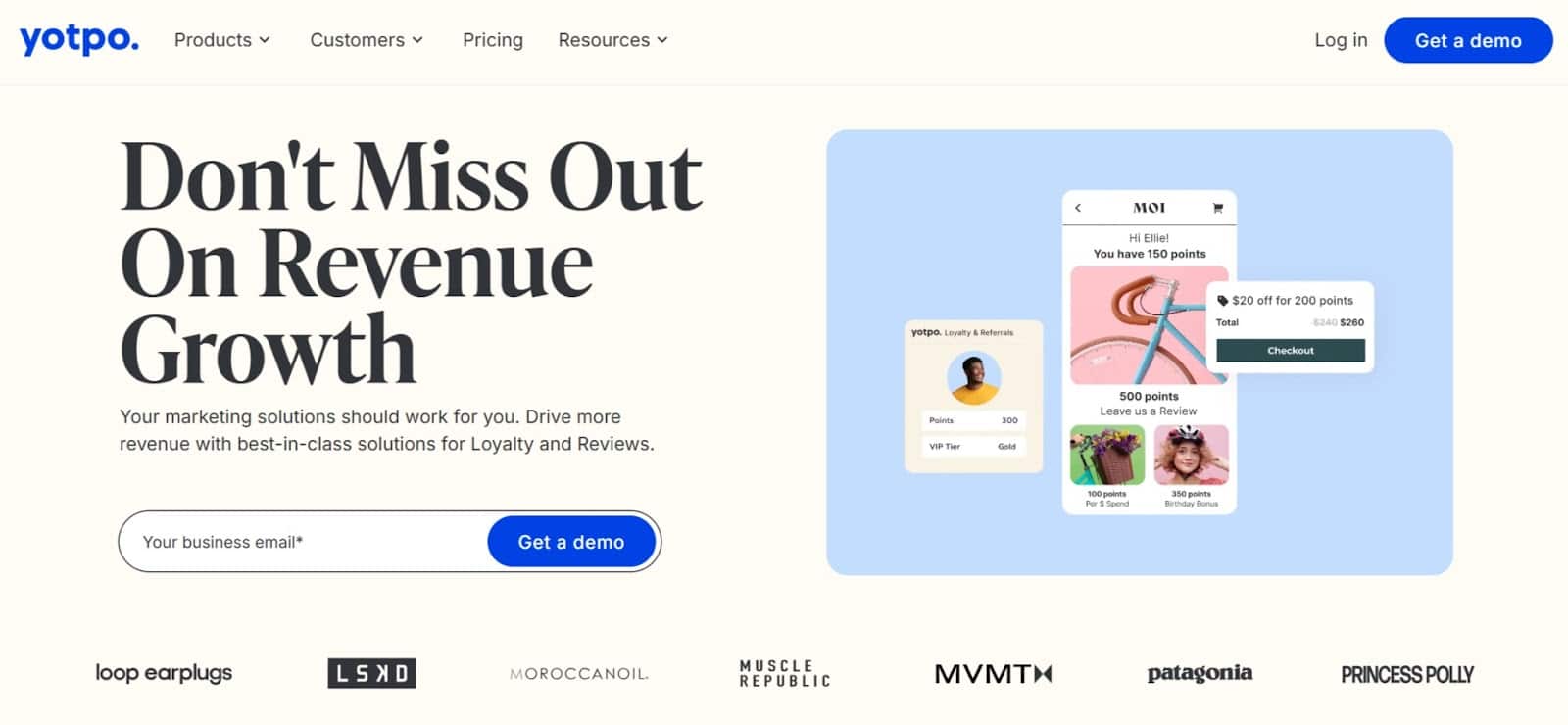
While a robust sitemap ensures search engines can find your pages, Yotpo ensures they are worth ranking. By continuously injecting fresh, keyword-rich customer content onto your product pages, Yotpo Reviews creates the dynamic updates that signal relevance to search algorithms.
AI-powered prompts are 4x more likely to capture high-value topics—such as fit, material, and durability—which directly match the detailed queries users type into AI search engines. This constant stream of fresh, structured data works in tandem with your XML sitemap to encourage frequent crawling and better visibility in both traditional search results and AI Overviews.
Conclusion
Your XML sitemap is the bridge between your content and the user’s discovery. In an era where AI engines and search bots prioritize freshness and structure, relying on a broken or outdated map can significantly hinder discoverability. Don’t just set it and forget it.
Whether you use a simple plugin like Yoast or a deep-dive crawler like Screaming Frog, audit your architecture regularly. Ensure your store’s growth isn’t invisible to the engines that matter—run a crawl today and give Google the roadmap it needs to rank you higher.
FAQs: 9 Best XML Sitemap Generator Tools
What is the difference between an HTML sitemap and an XML sitemap?
Think of an HTML sitemap as a map for humans, while an XML sitemap is a map for robots. An HTML sitemap is a visible page on your website (often linked in the footer) that lists your categories and pages to help users navigate if they get lost. An XML sitemap is a coded file (not visible to shoppers) specifically formatted for search engines like Google and Bing to read. While HTML sitemaps are useful for UX, they do not replace the need for an XML sitemap to ensure proper crawling and indexation.
How often should I update my e-commerce sitemap?
Ideally, your sitemap should update immediately (dynamically) whenever your site content changes. For e-commerce stores, “change” happens frequently: a product goes out of stock, a price changes, or a new customer review is published. If you are using a manual generator, you should regenerate your sitemap at least once a week or immediately after launching a new collection. However, relying on manual updates is risky for high-volume stores; automated, dynamic generation is the industry standard.
Can I have too many URLs in a single sitemap file?
Yes. According to the official Sitemap Protocol, a single XML file is limited to 50,000 URLs or 50MB in size (uncompressed). If you exceed this, Google will not process the file. To solve this, large stores use a Sitemap Index file, which acts as a parent folder linking to multiple child sitemaps (e.g., sitemap-products.xml, sitemap-blog.xml). This allows you to submit millions of URLs without breaking the technical limits.
Do sitemap generators help with AI Overviews (SGE)?
Absolutely. AI Overviews (formerly SGE) rely on accurate data retrieval to generate answers. If an AI crawler (like GPTBot) encounters a messy site structure or cannot verify the publication date of a page, it may exclude that content to prevent “hallucinations.” A clean sitemap with accurate <lastmod> (last modified) tags gives AI engines confidence that your content is fresh and accurate, increasing the likelihood of your products being cited in generative answers.
How do I submit my sitemap to Google Search Console?
Once your generator creates the URL (usually yourstore.com/sitemap.xml), follow these steps:
- Log in to Google Search Console.
- In the left sidebar, click Sitemaps under the “Indexing” section.
- Enter your sitemap URL into the “Add a new sitemap” field.
- Click Submit. Google will then process the file and show you a status report (“Success” or “Couldn’t Fetch”) within a few days.
Should I include product image URLs in my sitemap?
Yes, specifically for e-commerce. Google Images is a significant traffic source for product discovery. Standard sitemaps often miss the images embedded in your product galleries. We recommend using a generator that supports Image Sitemap extensions. This adds specific tags (like <image:image> and <image:title>) to your XML file, ensuring Google indexes your product photos and connects them to the correct product page.
What is a “sitemap index” file and when do I need it?
A sitemap index is a “master list” that links to other sitemaps. You need it if:
- You have more than 50,000 URLs.
- You want to organize your submission for better reporting (e.g., separating Blog Posts from Products). Submitting a Sitemap Index to Google Search Console is cleaner than submitting 50 individual files manually.
Does Shopify automatically generate an XML sitemap?
Yes, Shopify automatically generates a sitemap for all stores at yourstore.com/sitemap.xml.
- The Good: It updates automatically when you add products.
- The Limitation: It is rigid. You cannot easily edit it to remove specific collections or add custom tags without using 3rd-party SEO apps. If you need advanced exclusion logic (e.g., hiding specific “hidden” products from Google), you may need a dedicated sitemap app from the Shopify App Store.
How do I exclude “noindex” pages from my sitemap automatically?
High-quality sitemap generators will scan your pages for the <meta name=”robots” content=”noindex”> tag during the crawl. If they detect this tag, they should automatically exclude that URL from the final XML file. Warning: Never include a “noindex” page in your sitemap. This sends a conflicting signal to Google (“Here is a page I want you to see” vs. “Do not index this page”), which wastes your crawl budget.
Why is my sitemap showing errors in Google Search Console?
Common errors include:
- 404 URLs: Your sitemap lists a page that no longer exists. Fix: Remove the URL or redirect it.
- Sitemap contains URLs blocked by robots.txt: You are asking Google to index a page that your robots.txt file forbids it from crawling. Fix: Adjust your robots.txt or remove the URL from the sitemap.
- Namespace missing: A syntax error in the XML code itself. Fix: Ensure your generator is using the correct schema standards.



 Join a free demo, personalized to fit your needs